Fishing electronics have become so powerful and so precise, it can be intimidating when learning how to use a new sonar unit. In this course, Jason Mitchell will go over how he uses his Lowrance units, what settings he prefers, and how to get more out of the units to put you on more fish. In the first installment of the course, Jason goes over GPS and 2D on his Lowrance units.
When using the GPS on his Lowrance units, Jason uses the CMap chips for more accurate mapping. On certain lakes or areas these maps have more detail and have often times been updated compared to the mapping that comes standard on the units. Another important tip is using the color shading feature to highlight different depths which can make it easier to pinpoint high priority fishing structure.
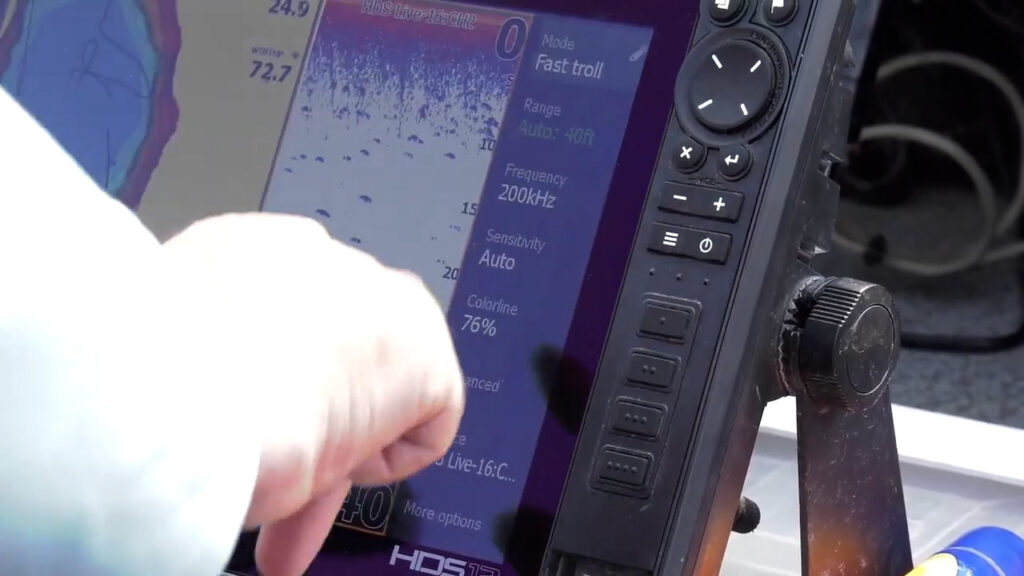
As useful as Down View and Side Imaging is, traditional 2D sonar is arguably still the most accurate sonar reading these units have and having the correct settings is important. One setting Jason often changes on his 2D is the color palette. He favors color palette 13 for the fact that when a bigger mark is shown on the screen it adds a green color to the mark, making it easy to identify bigger fish.
As far as frequency Jason uses 200 kHz frequency and then uses the sensitivity settings to dial in the clarity of the picture. Starting with the sensitivity high, Jason will dial it down until the clutter and noise disappears until he is only seeing sonar returns of fish. In situations where there is an algae bloom or a lot of algae in the water you may have to dial the sensitivity down even further. Fine tuning the settings can differ on different bodies of water, which is why Jason’s last tip is to read the unit manual.
Stay tuned for the next two installments of this course where Jason will go over Down Imaging and Side Imaging tips and settings.